


Pick the right time.
Choose a date, time and time zone for a connected account, or publish as soon as the post is ready.


PUBLISHING
Take approved work live from the same project your team used to review it. Choose a connected account, tailor the post to the platform, and publish now or schedule it for later.
Start free01 / CONNECT YOUR ACCOUNTS
Connect accounts to a project so your team can choose the right destination when it’s time to publish.
02 / TAKE THE RIGHT VERSION LIVE
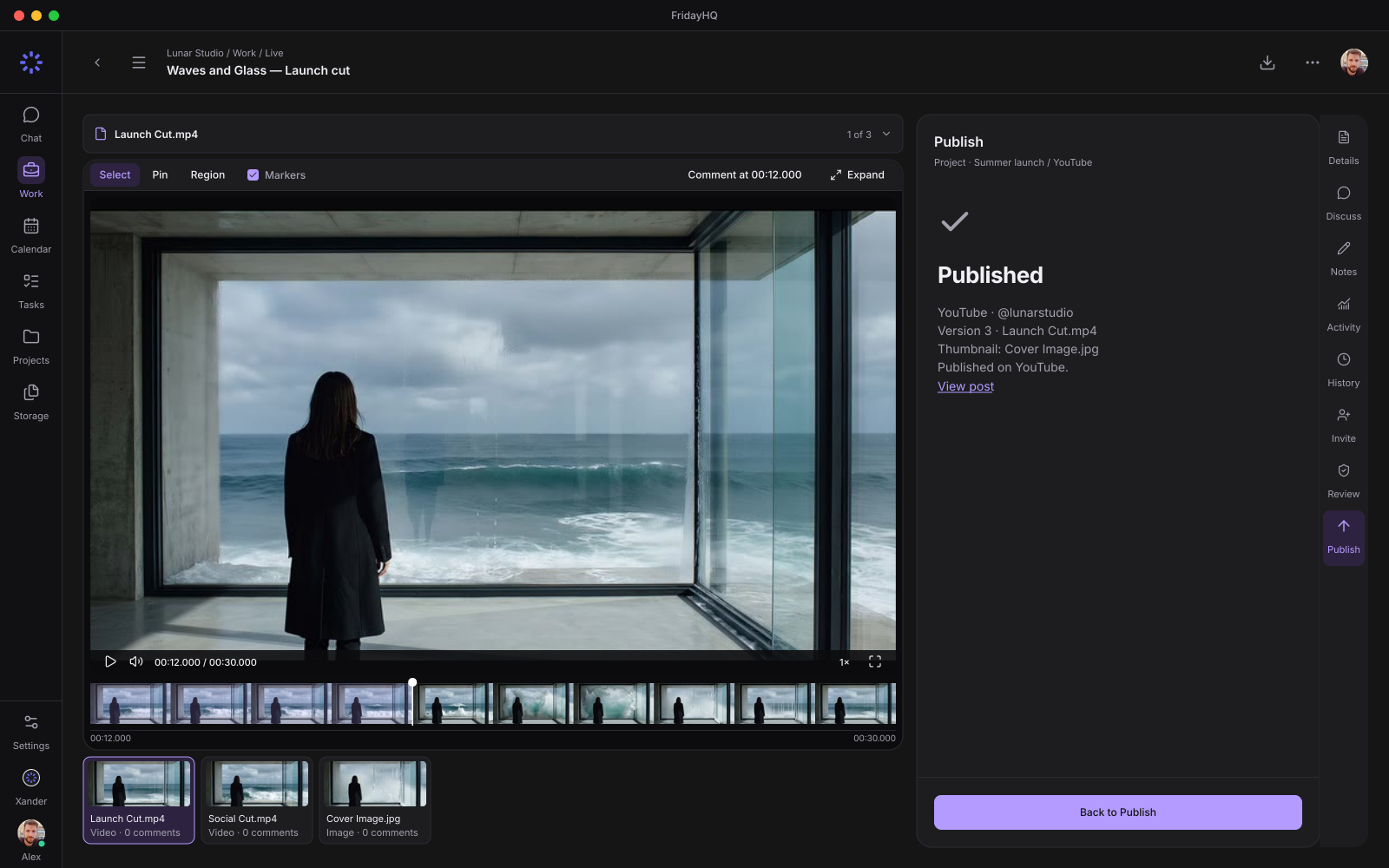
Use the approved version, then review the title, caption, media and thumbnail for the account you’re publishing to. Here’s how that looks on YouTube.
03 / SCHEDULE AND TRACK
See scheduled posts alongside task deadlines on the calendar, then check delivery for each destination in Friday.
Choose a date, time and time zone for a connected account, or publish as soon as the post is ready.
See what’s scheduled, what’s published and what needs attention. Pull analytics right from each published post when metrics are available.
Open Schedule Activity to see what happened to a post and when.
FROM THE FIRST CUT TO THE LIVE POST