One place to pick it up.
Keep the content close to the people reviewing it, with the discussion and decisions that come next.


CREATIVE WORKFLOW MANAGEMENT
The content. The conversation. The next step.
Follow one film through a workflow that keeps it all together.
01 / GIVE THE WORK A HOME
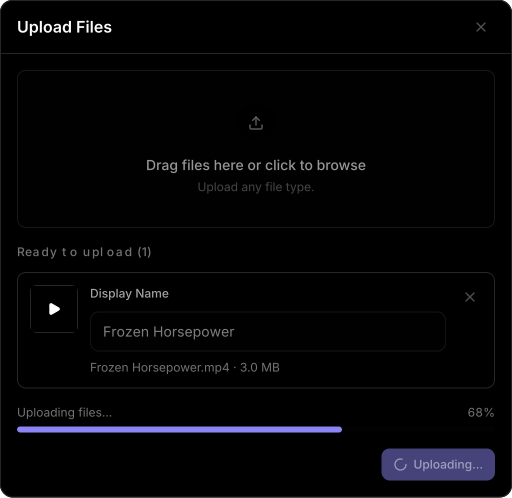
Bring the first cut into Friday. Upload the file, give it a clear name and keep it with the project it belongs to.
Keep the content close to the people reviewing it, with the discussion and decisions that come next.
Frozen Horsepower. One concept, moving from the first upload to a clear sign-off.
02 / MAKE PROGRESS VISIBLE
Thumbnail approved. Client approved. Published. Give your team a shared language for where the work stands.
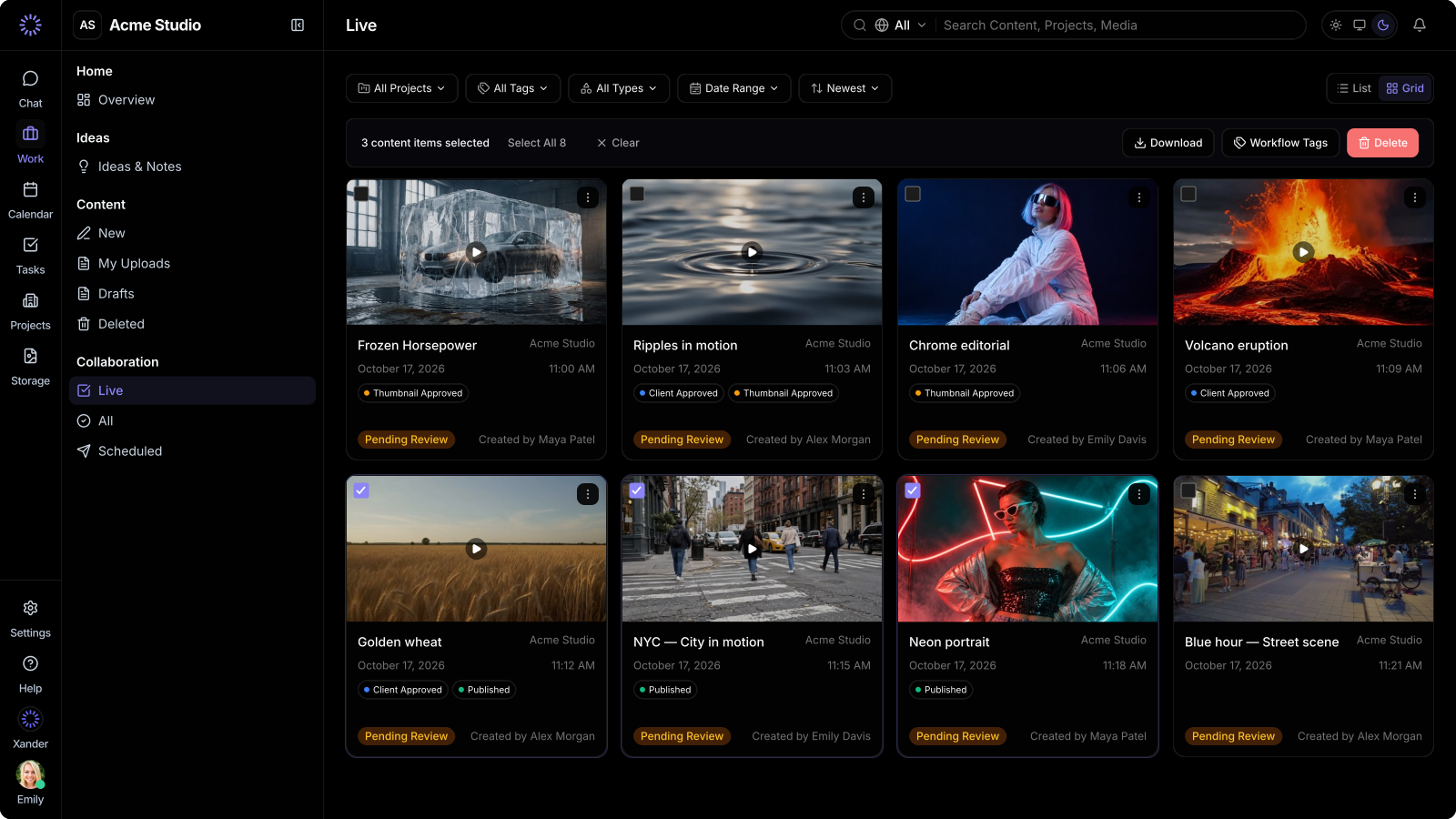
Create and colour-code tags inside each project to fit the way your team works.
Apply a workflow tag to one item or several, without repeating the same action.
Filter Live by a workflow tag and get straight to the content at that stage.
03 / WORK THROUGH IT, TOGETHER
Keep feedback with the film. Bring Xander into the discussion to help review the work and understand what still needs to happen.
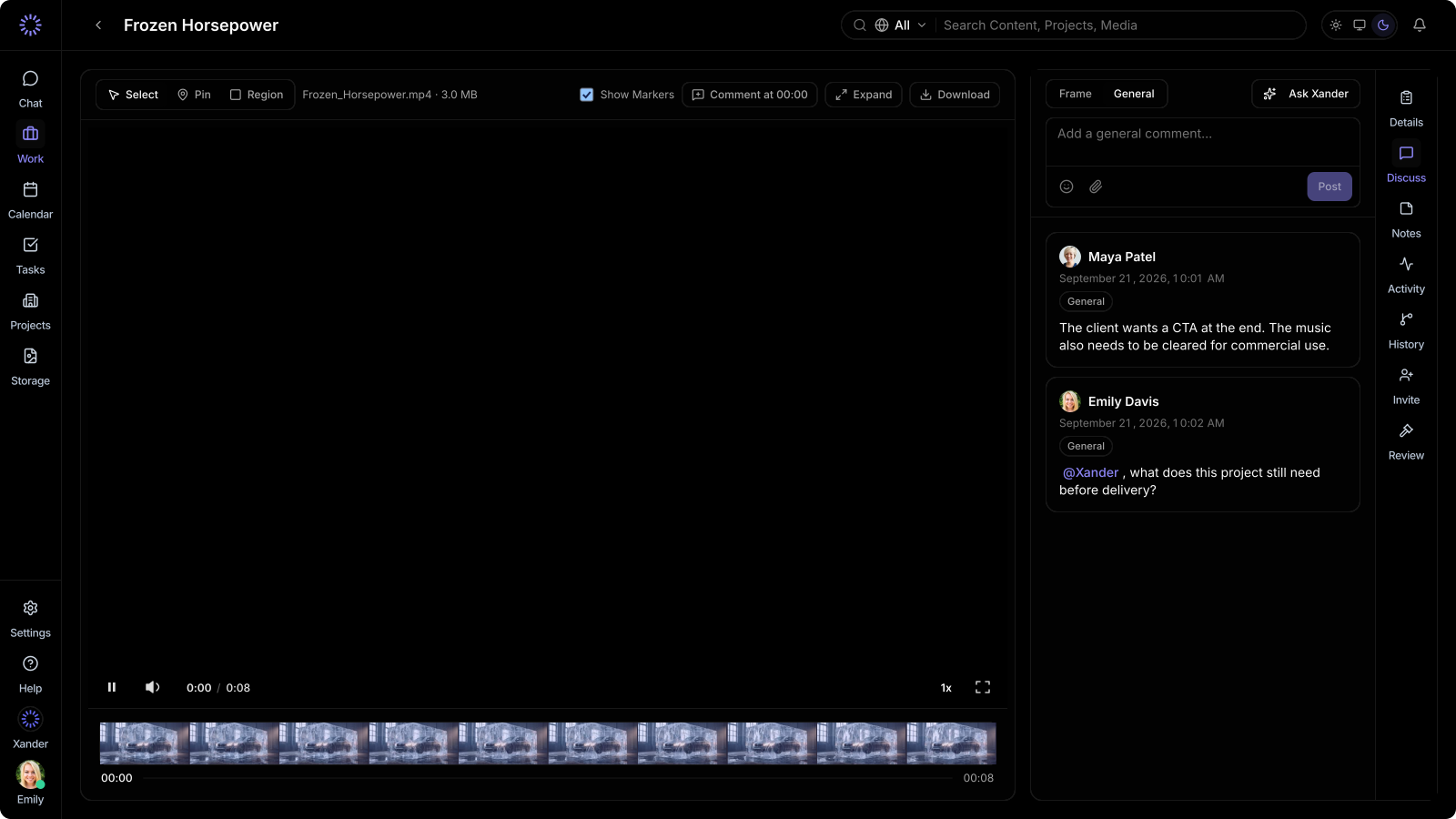
Leave feedback against the content, so the editor knows exactly what the note refers to.
Get help with the cut, the caption or a brief check. The response stays visible in the team’s discussion.
Turn the follow-up into a task with a responsible person, then bring the updated work back for review.
04 / KNOW WHERE YOU STAND
Open Review, check the current version and give it a clear yes—or request changes. The approval stays attached to the content.
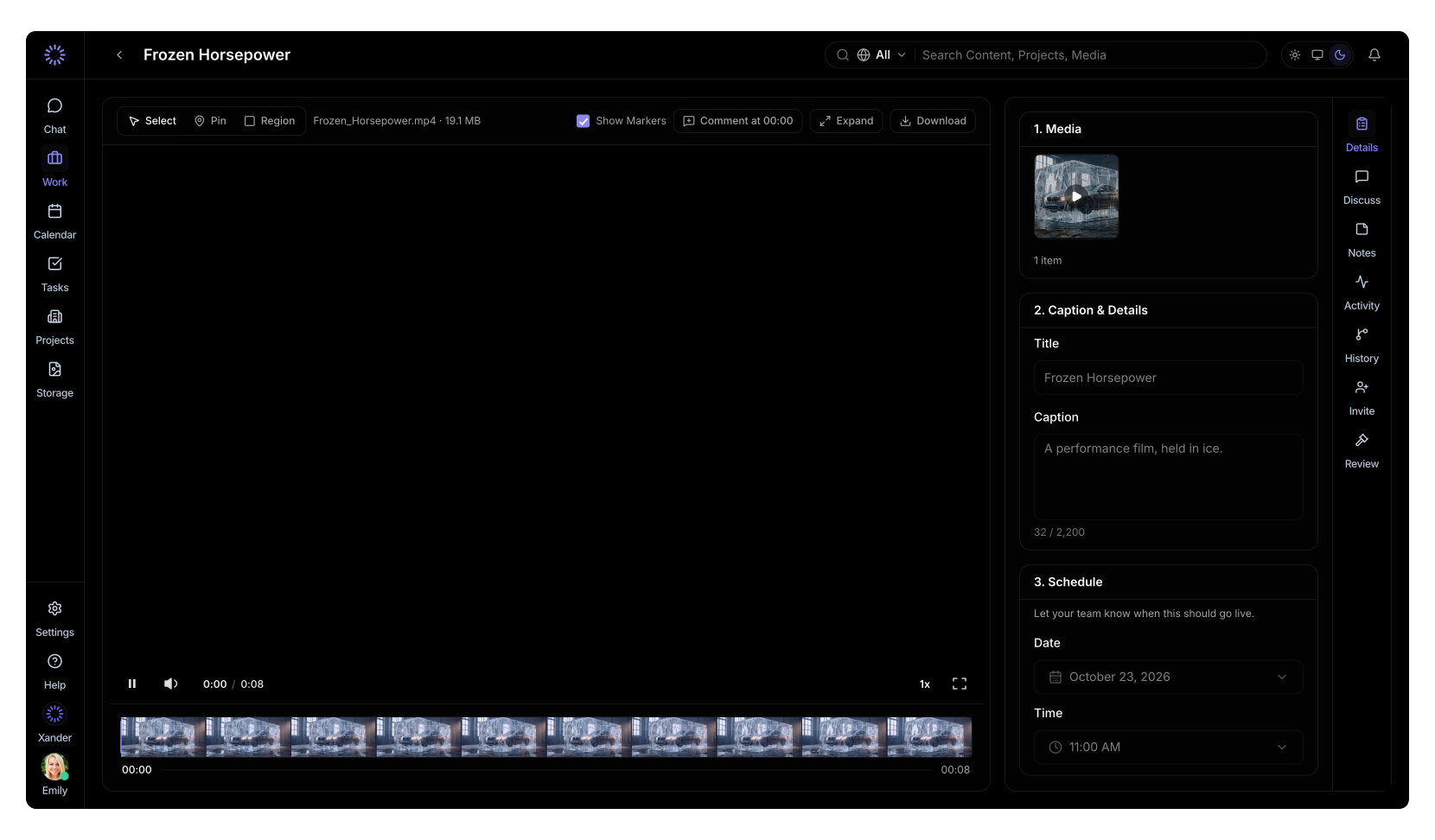
Workflow tags show your process. The review decision records the sign-off.
Now bring your client in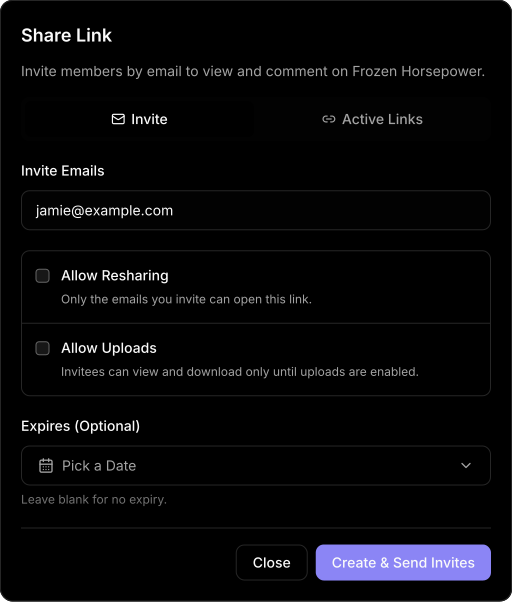
05 / BRING EVERYONE INTO THE LOOP
Bring clients and outside collaborators into the content with a public share link. Invite them by email and choose how access works.
Public links are email-gated. Only invited people can open them.
Control resharing, allow uploads when needed and set an expiry. Revoke access when the collaboration is finished.
LESS CHASING. MORE CREATING.