Know what comes next.
A clear task, a due date and a status everyone can follow.


TASKS & OWNERSHIP
The content. The people. The conversation.
Give every next step a home, from the first follow-up to done.
01 / THE NEXT STEP, IN CONTEXT
“Prepare client handoff” is only the start. Open the task to see who’s involved, when it’s due and the discussion that gets it over the line.
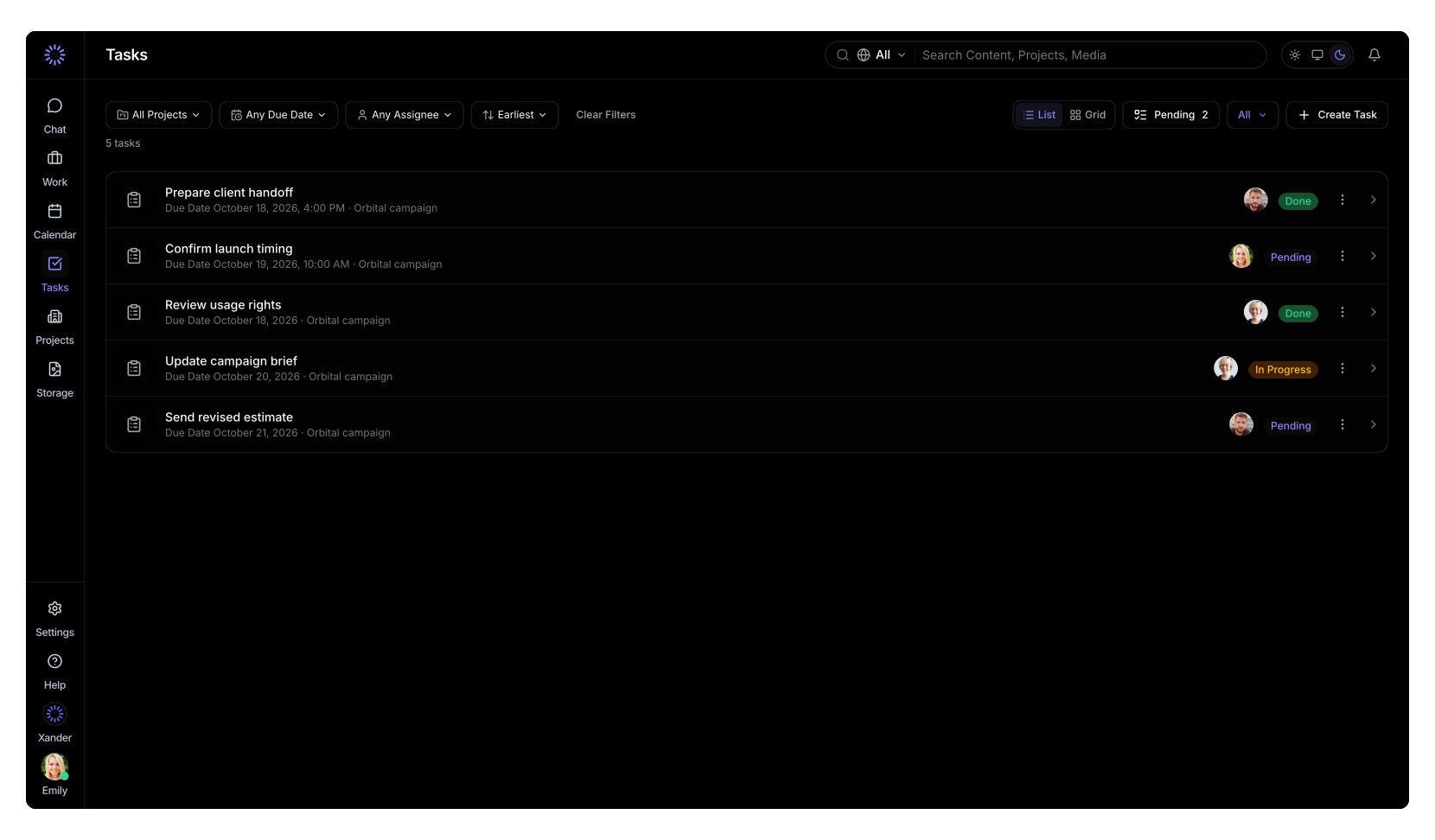
A clear task, a due date and a status everyone can follow.
Link the content and add the files people need to move forward.
Move from To Do to In Progress to Done, with the conversation still attached.
02 / THE WORK BEHIND THE TASK
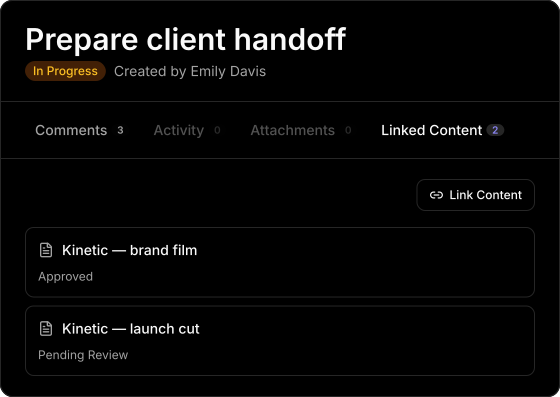
A task shouldn’t send you searching for the work it refers to. Link the film, the social cut or several content pieces to the same task.
Keep the hero film and its social cut together when they share the same handoff.
Jump into linked content to check the details, review the latest version and pick up the context.
03 / SHARED WORK. CLEAR RESPONSIBILITY.
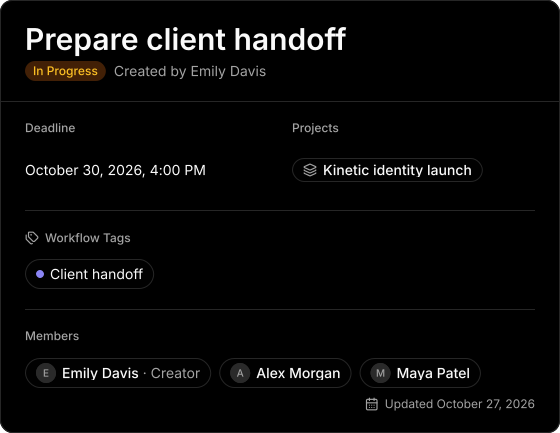
Creative work rarely belongs to just one person. Assign multiple teammates to the same task, so everyone can see the work they’re responsible for.
Alex checks the exports. Maya prepares the delivery copy. Both are assigned to the same handoff.
Add a deadline, connect the project and use workflow tags to show where the task fits.
04 / KEEP THE CONVERSATION WITH THE WORK
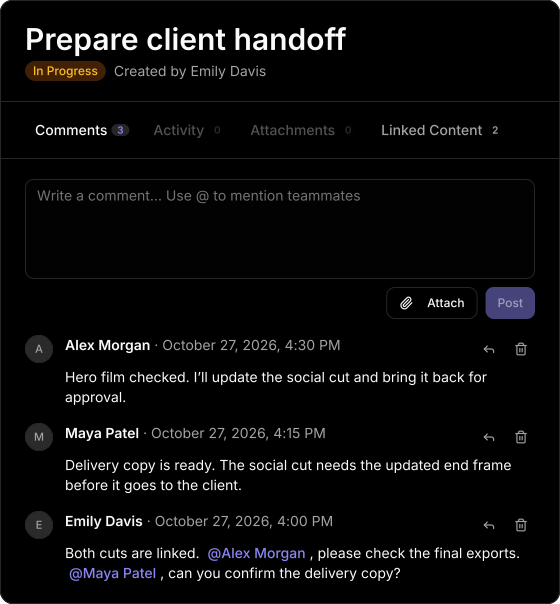
Discuss the next step inside the task. Ask a question, flag a missing piece or confirm what’s ready, where the people doing the work can find it.
Mention a teammate in a comment and make it clear who you’re asking.
Reply to comments and attach supporting files. The discussion stays with the task as the work moves on.
05 / SEE WHAT’S COMING
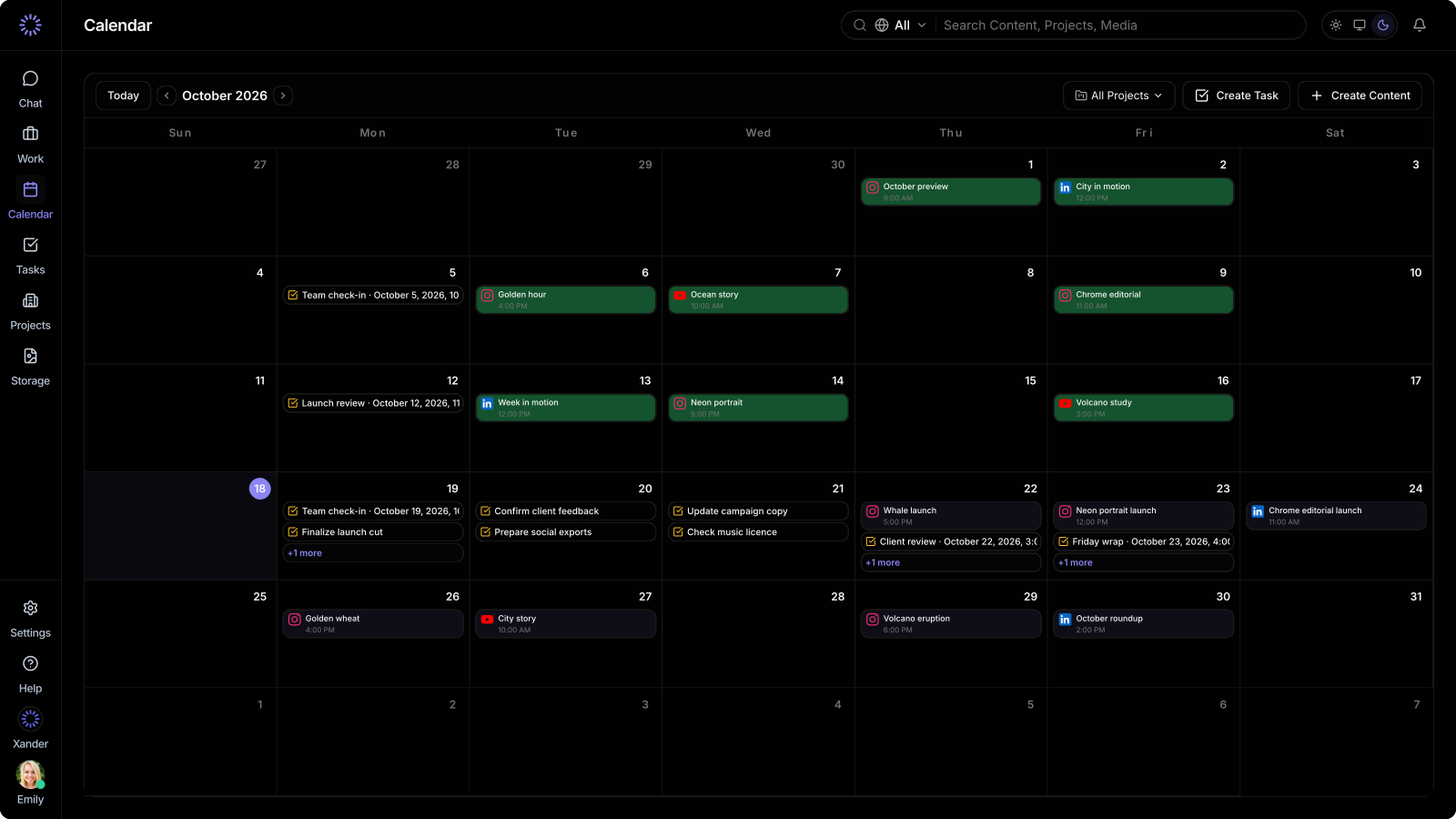
Give a task a due date and see it on the calendar, alongside scheduled content. Keep the deadlines and the work they support in one view.
PART OF THE BIGGER PICTURE
Connect the follow-ups to a creative workflow that brings content, feedback, approvals and sharing together.
Explore creative workflow managementLESS CHASING. MORE CREATING.