A home for the work.
See the project’s recent content and open the piece you need, with its review status and workflow tags.


PROJECT MANAGEMENT
The people. The brief. The work. The next step.
Bring them together in a project your team and Xander can work from.
01 / LET’S BUILD A PROJECT
Imagine Atlas, a travel editorial told through wild landscapes, city stories, photography and words. Give it a project, then connect the people, knowledge and follow-ups that will get it delivered.
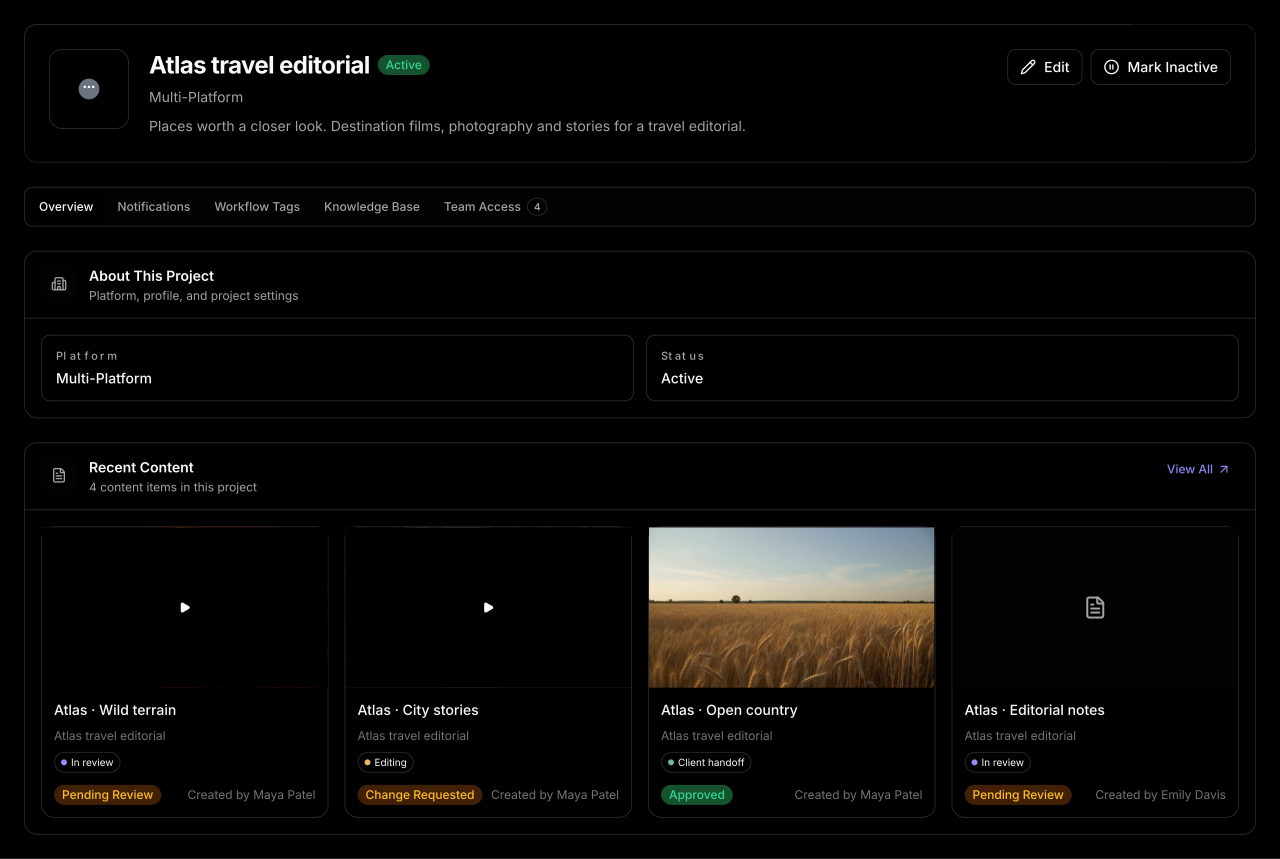
See the project’s recent content and open the piece you need, with its review status and workflow tags.
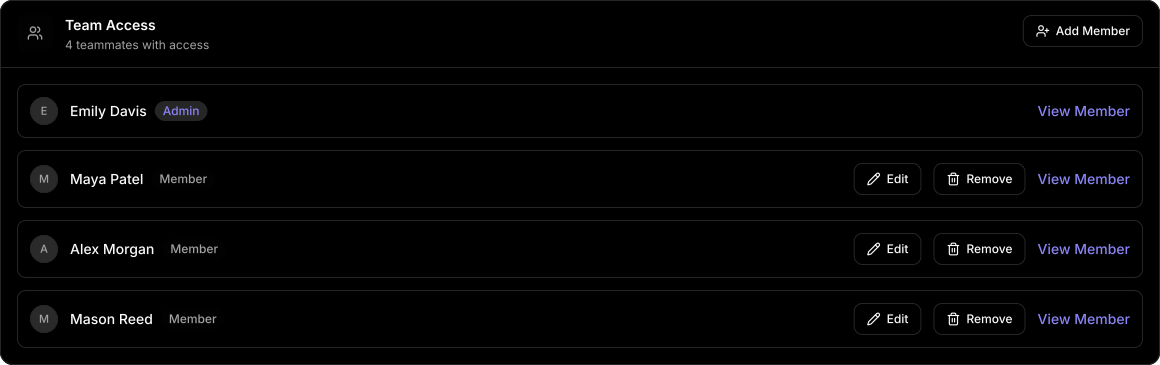
Bring the project team together and manage the access each member needs.
Keep the brief, reference files and project knowledge alongside the work they guide.
02 / BRING IN THE TEAM
Emily coordinates. Maya edits. Alex reviews. Mason handles delivery. Bring them into the same project, with one place to see who has access and manage it as the team changes.
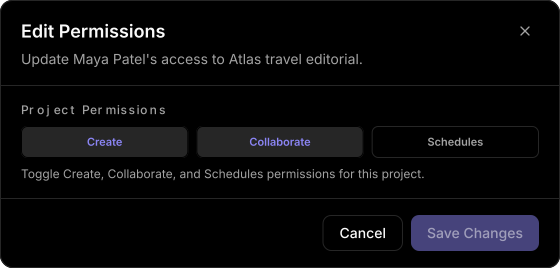
Set Create, Collaborate and Schedules permissions for each member on the project. In this example, Maya has Create and Collaborate enabled, while scheduling stays with the delivery team.
Admins can add members, edit their project permissions and remove access when it’s no longer needed.
03 / GIVE THE PROJECT ITS CONTEXT
What’s the tone? Which deliverables are due? What needs checking before handoff? Keep those answers in the project’s knowledge base, as text notes and reference files.
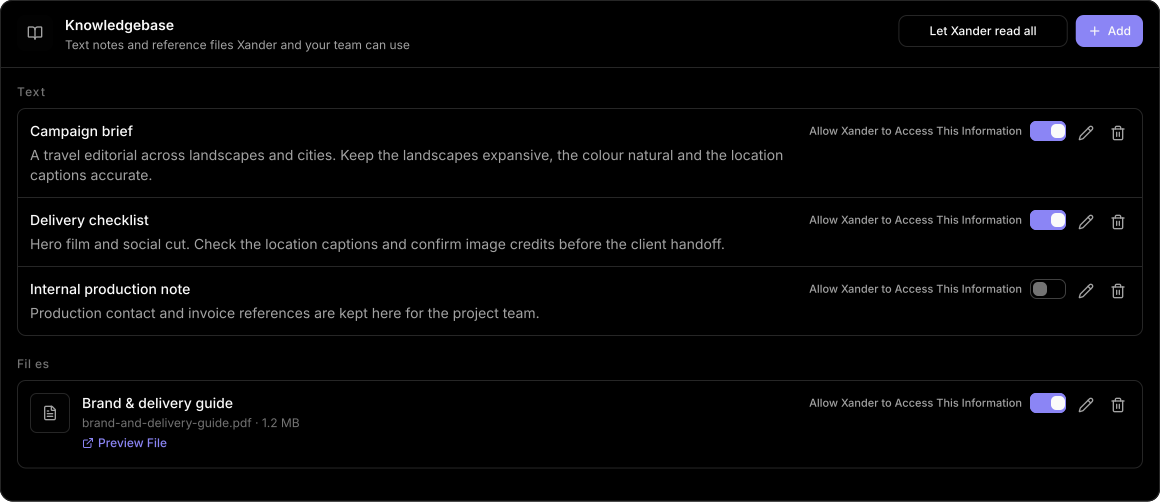
The editorial brief sets the tone. The delivery checklist keeps location captions and image credits visible.
Keep brand guides and supporting files with the project, with previews available from the knowledge base.
Allow access entry by entry, or share all. Here, Xander can use the creative brief while the internal production note stays unshared.
04 / CONNECT THE FOLLOW-THROUGH
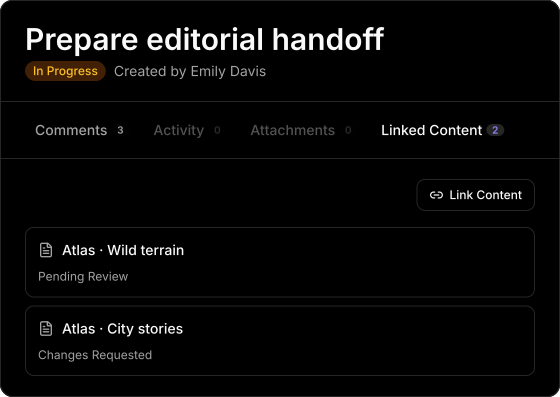
“Prepare editorial handoff” connects the Wild terrain film and City stories cut. Link both pieces to the task, assign the people involved and keep the handoff discussion with the next step.
The editor and reviewer can get to the linked content without searching for the right file or conversation.
Use project workflow tags to mark stages across content and tasks. Keep feedback, approval decisions and public sharing connected to the content.
05 / PUT THE CONTEXT TO WORK
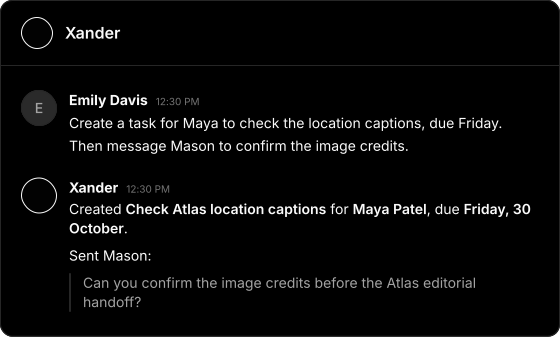
Ask Xander about the project, review a cut in its content Discussion, or use Xander chat to turn a follow-up into a task. The project’s shared knowledge gives it context to work with.
Use the project’s shared guidelines and review discussion to work through what still needs attention before handoff.
Ask Xander to create Maya’s caption-check task, set the deadline and send Mason a message about the image credits.
FROM THE BRIEF TO THE HANDOFF