Be specific.
Ask about the framing, skin tones or whether the image delivers on the creative direction.


XANDER / YOUR AI OPERATIONS PARTNER
Review the work. Understand the context. Move it forward.
An AI partner inside Friday, working with your projects, content and conversations.
01 / ANOTHER PAIR OF EYES
Mention @Xander in a content Discussion. Ask about composition, colour or brand fit, with the work attached and the reply where your team can see it.
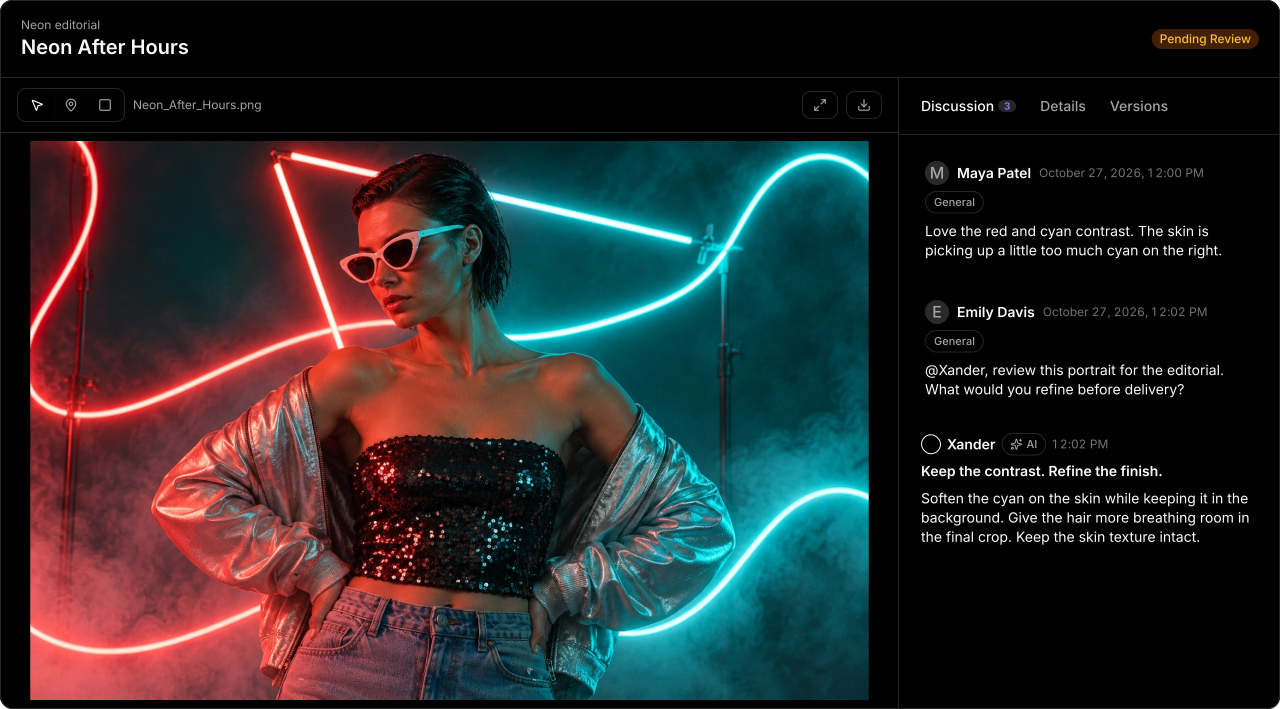
Ask about the framing, skin tones or whether the image delivers on the creative direction.
Include the content’s media and frame annotations so your question stays connected to the work.
Xander’s feedback stays in the discussion, alongside the team’s comments and approval decisions.
02 / THE CONTEXT BEHIND THE ANSWER
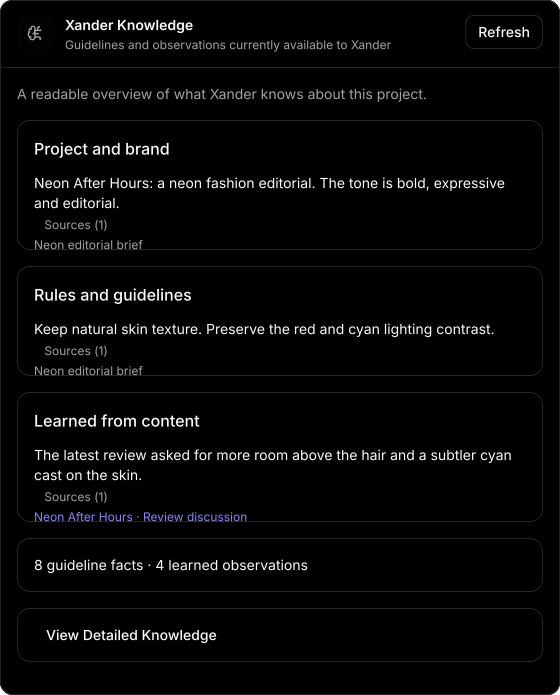
The brief, the brand voice, the rules that matter. Xander can draw on project guidelines and observations from the work, so you can ask questions with the project’s context behind them.
Use project guidelines to give Xander the creative direction, brand requirements and delivery details it needs.
The Xander Knowledge panel brings guidelines and learned observations together, with sources you can inspect.
03 / FROM ASKING TO DOING
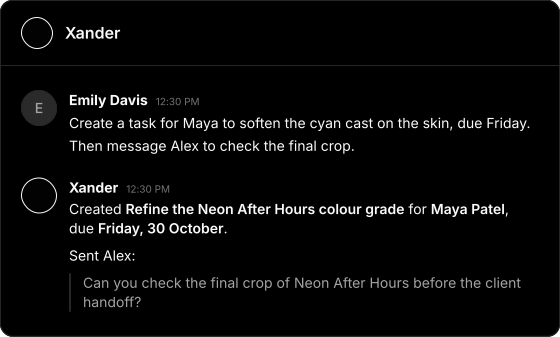
Use your Xander chat to turn a next step into work in Friday. Ask it to create or update tasks, assign people and set deadlines. When you ask it to send a message, it can handle that too.
Describe what needs doing, who should own it and when it’s due. Keep the next step connected to the project.
Find the relevant conversation, draft an update or ask Xander to send a specific message to a teammate.
04 / START WITH THE CONVERSATION
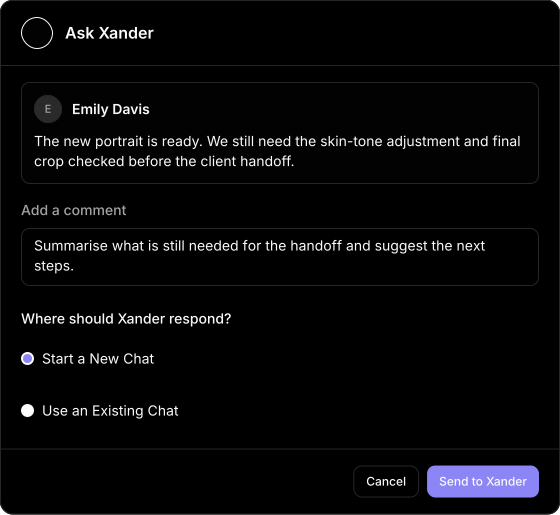
A teammate flags a missing piece. A handoff needs clarifying. Use Ask Xander on a chat message, add your question and take the context into a new or existing Xander chat.
The original message travels with your question. Ask for a summary, a clearer handoff or suggested next steps.
Continue an existing Xander conversation or start a fresh one for the work at hand.
A FEW PLACES TO START
From the first creative question to the final follow-up. Try a question in Xander chat, or mention @Xander on the content you’re reviewing.
“What still needs attention before this campaign is ready for handoff?”
“Give me three ways to make the first five seconds of this cut stronger.”
“Draft a voice-over script for this film, using the project’s brand guidelines.”
“Summarise the recent discussion and highlight the decisions still open.”
“Which tasks are still open in this project, and who is assigned?”
“Create a task for Maya to update the end CTA, due Friday.”
Example prompts · Use Xander chat for task and messaging actions.
LESS CHASING. MORE CREATING.